Over-Receipt Unit Check
The over-receipt unit check verifies that the total registered units for a receipt line do not exceed the units required by the warehouse receipt line. The check runs when the warehouse user calls the Refresh Screen action on the Receive Order Lines screen.
How the check works
The check is evaluated against all registrations for the line combined, not against an individual registration. The system sums all units registered for the line and compares the total to the outstanding units on the warehouse receipt line. If the total registered units exceed the outstanding units by more than the configured tolerance, the check fails.
This check applies to both fixed-ratio and variable-ratio items. Non-Dual UOM items are never subject to the check.
Tolerance configuration
The tolerance is read from, in order of priority:
-
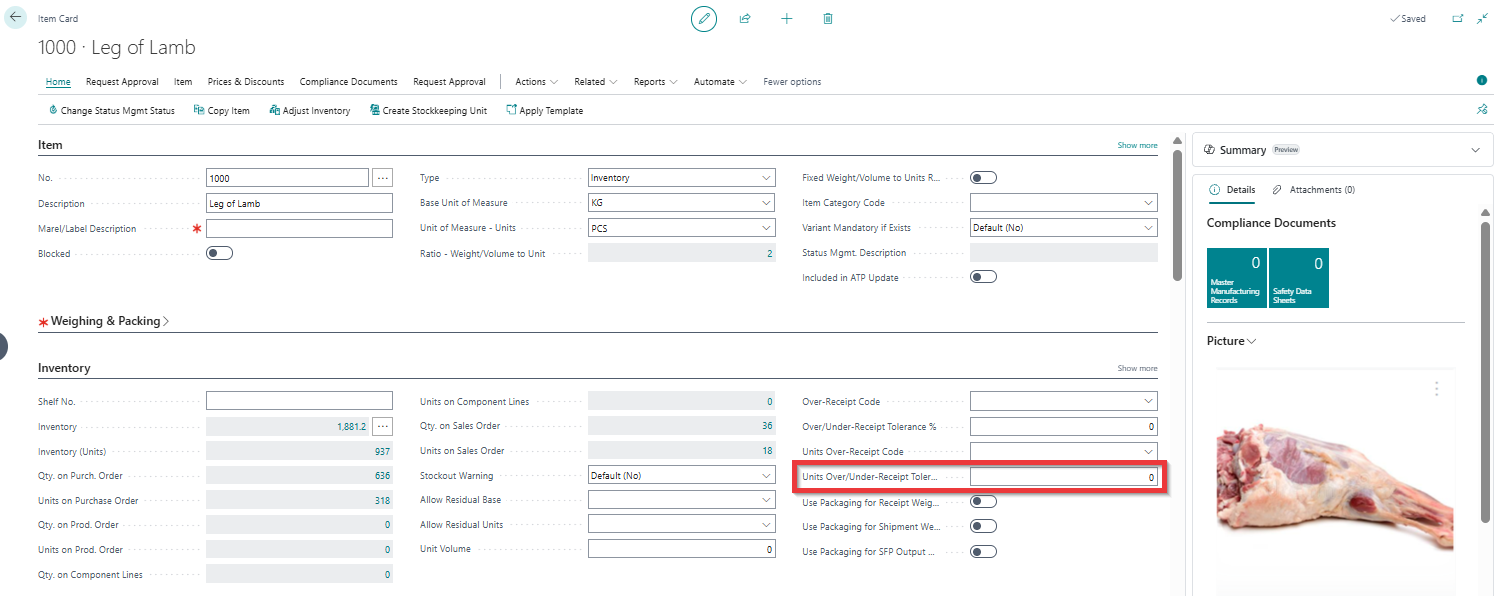
Units Over/Under Receipt Tolerance % on the Item Card.
-
If the item-level tolerance is
0, the global Units Tolerance % on the Dual UOM Setup page.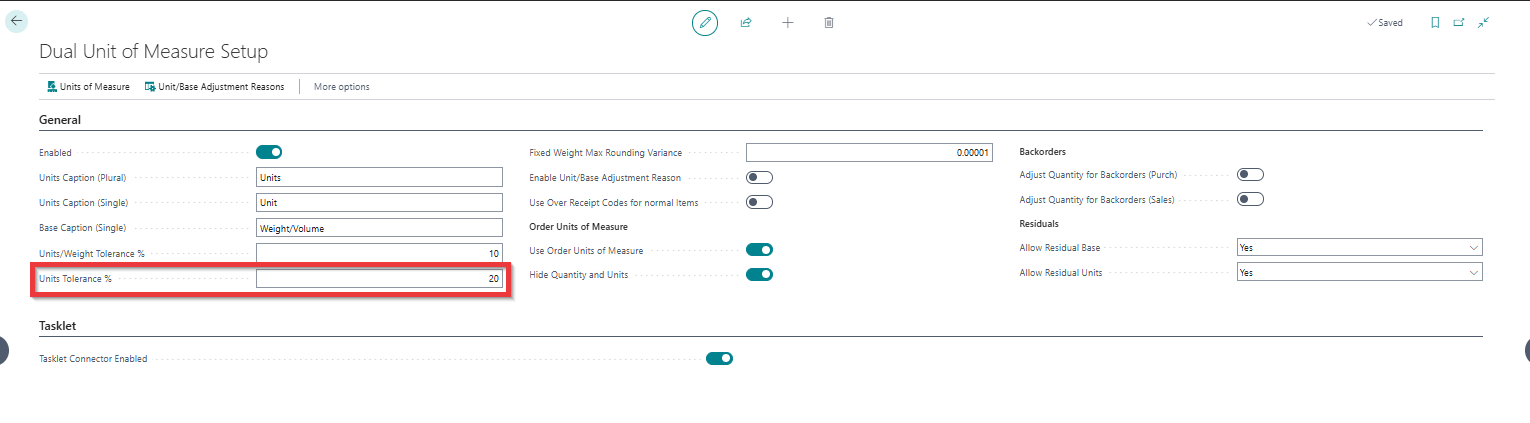
Example
Consider an item with a conversion rate of 1 unit = 2 kg and a configured tolerance of 20 %. The warehouse receipt line requires 100 units (200 kg), none of which have been received yet.
The outstanding units are 100 units. The maximum allowed registration before the over-receipt check fails is:
100 units × (1 + 20 / 100) = 120.0 units
| Total registered units | Outstanding units | Excess | Within tolerance? |
|---|---|---|---|
| 100.0 units | 100.0 units | 0.0 % | Yes |
| 116.0 units | 100.0 units | 16.0 % | Yes |
| 124.0 units | 100.0 units | 24.0 % | No |
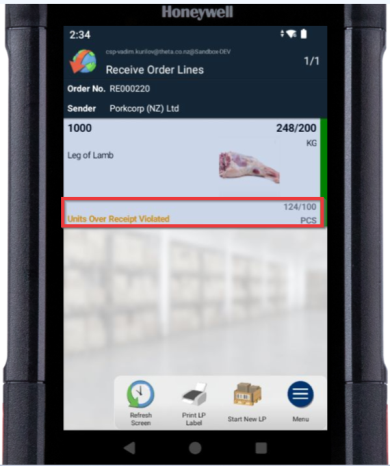
When the total registered units exceed the tolerance, the Refresh Screen action displays the following orange text next to the affected line: Units Over Receipt Violated
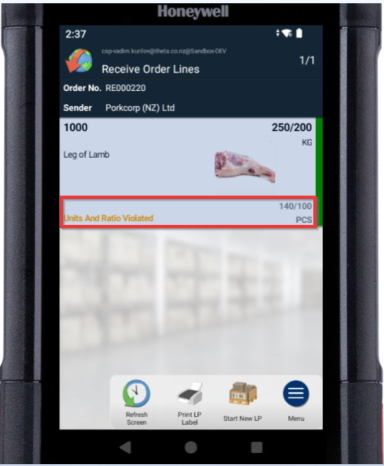
Combined violation
When both the units-to-quantity conversion check and the over-receipt check fail at the same time, the following text is shown: Units And Ratio Violated