Environment Updates
Admin Center plugin provides a way to manage environment update settings. To access a list of environments, click on the Managed Environments action in the Tenant Manager Role Center or drill down on the Managed Tenants list Environments field. On the list of environments there will be a seto of fields that represent a schedule for the environment update.
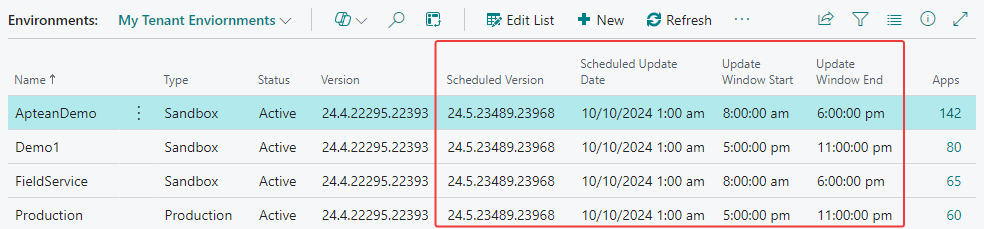
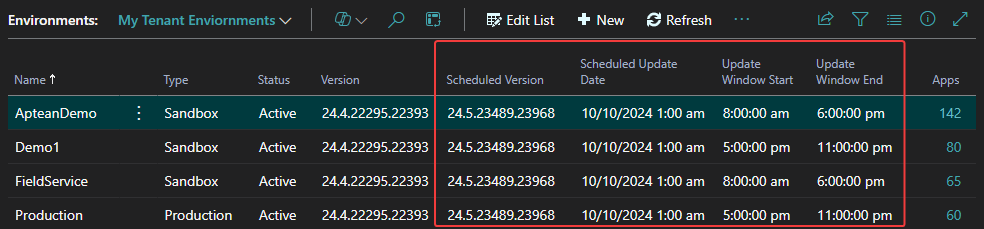
The Scheduled Version field represents the version that is currently scheduled. The Scheduled Update Date field represents when the environment is scheduled for the update. The Update Window Start and Update Window End fields represent the time window for the update.
From a list of environments, you can perform the following vital actions with environment updates: Set Update Date and Set Update Window.
Set Update Date
You can see an update date for the environment and change it by selecting all the environments you want to update and clicking the Schedule Update action from the Update Settings menu. Then, you will be asked to provide a new update date for the selected environments and configure the preferred time window for the update.
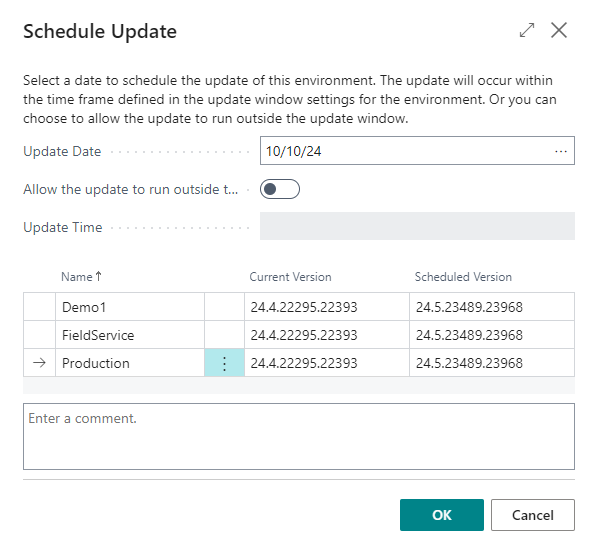
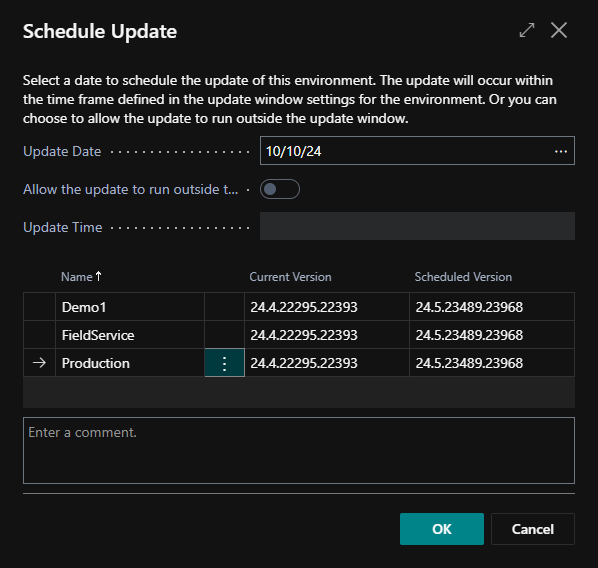
You can also comment on this operation, which will be linked to an environment as a note.
Set Update Window
This feature is not yet implemented.